Connect TDM Signage with your favorite apps

Show presentations, dashboards, social media, weather, news, calendars, web pages, and QR codes on your screens. Keep content updated with less manual work.

30-day free trial. No credit card required.
TDM Signage integrations with business, social media and data tools
tdm power bi integration
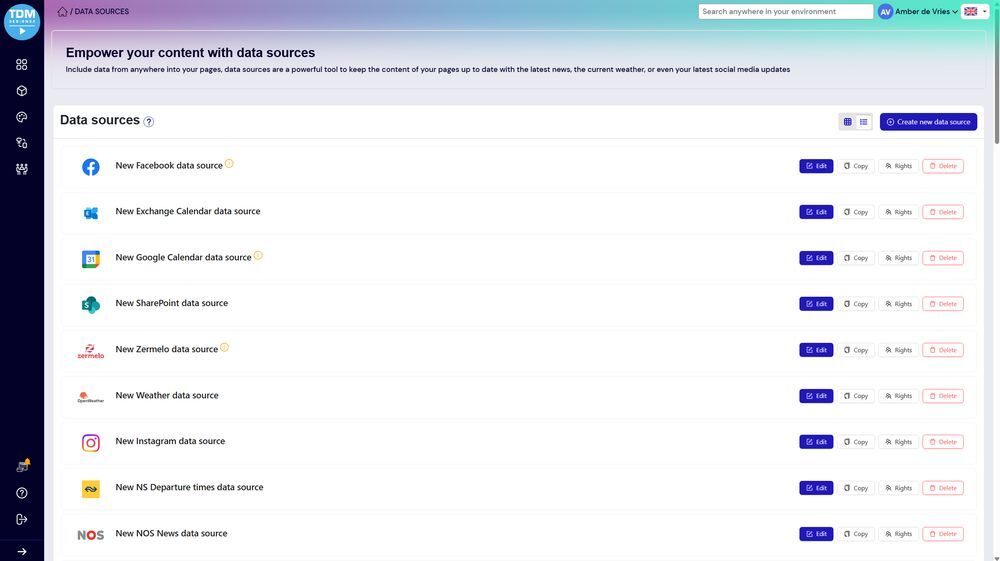
tdm signage data sources

Digital signage integrations for live content

Browse the apps, feeds, and data sources you can use inside TDM Signage to build more useful screen content.

sharepoint logo

SharePoint

Display supported SharePoint content or information on your digital signage screens.
Microsoft 365 logo-1

Microsoft 365

Use supported Microsoft 365 content in your screen communications.
outlook logo

Outlook

Show supported Outlook information, such as calendars, schedules, or related updates.
power bi logo

Power BI

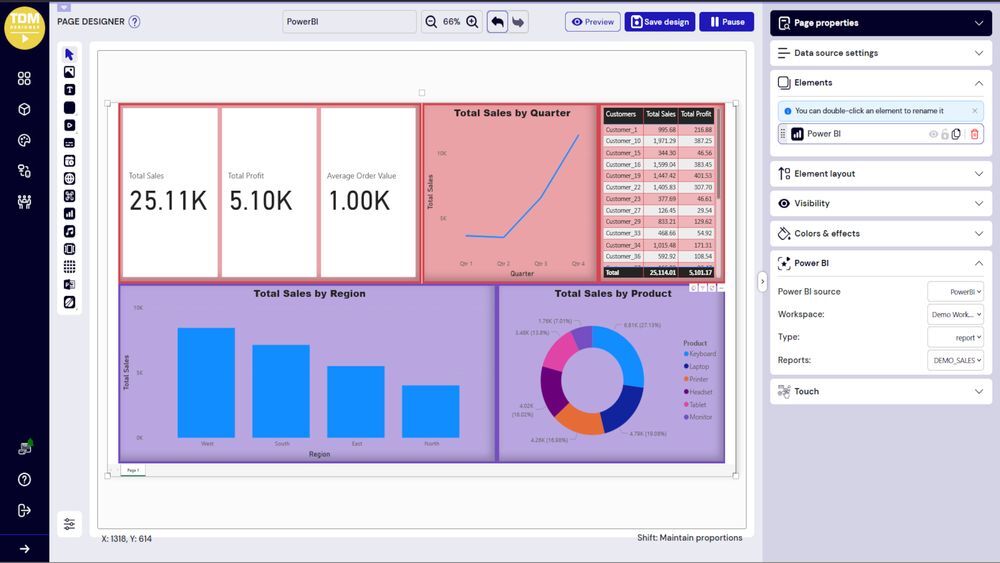
Display Power BI dashboards, reports, and business data on your digital signage displays.

powerpoint logo

PowerPoint

Show PowerPoint presentations directly on your digital signage displays.
microsoft exchange logo

Microsoft Exchange

Display supported Microsoft Exchange calendar or schedule information on your screens.
google calendar logo

Google Calendar

Show Google Calendar information for schedules, events, or room-related updates on your screens.

sso logo

SSO

Single Sign-On lets users access TDM Signage through their organization's existing login system.
zermelo logo

Zermelo

Display Zermelo schedule or planning information on your digital signage screens.

facebook logo

Facebook

Show Facebook content on your digital signage screens.

instagram logo

Instagram

Display Instagram content for social updates, brand content, or visitor-facing displays.

tiktok logo

TikTok

Show TikTok content on your digital signage displays.

linkedin logo

LinkedIn

Display LinkedIn content for company updates, employer branding, or professional announcements.

youtube logo

YouTube

Show YouTube video content on your screens.

vimeo logo

Vimeo

Display Vimeo video content on your digital signage screens.
nu nl logo

NU.nl

Show NU.nl news content on your digital signage screens.

nos news logo

NOS

Display NOS news content to keep staff, visitors, or customers informed.

rss feed logo

RSS Feeds

Display RSS feed content from supported sources on your screens.

buienradar logo

Weather Radar

Show live weather information on your digital signage screens.

open weather logo

OpenWeather

Display weather data from OpenWeather where supported.

ns logo

NS Info

Show NS travel and public transport information on your screens where relevant.

realworks logo

Realworks

Display supported Realworks content or property-related information on your screens.
qr logo

QR Code

Add QR codes to your screens so viewers can scan them for links, forms, menus, downloads, contact pages, or more information.

url logo

Web URL

Display web pages or online content directly on your digital signage screens.

custom data source logo

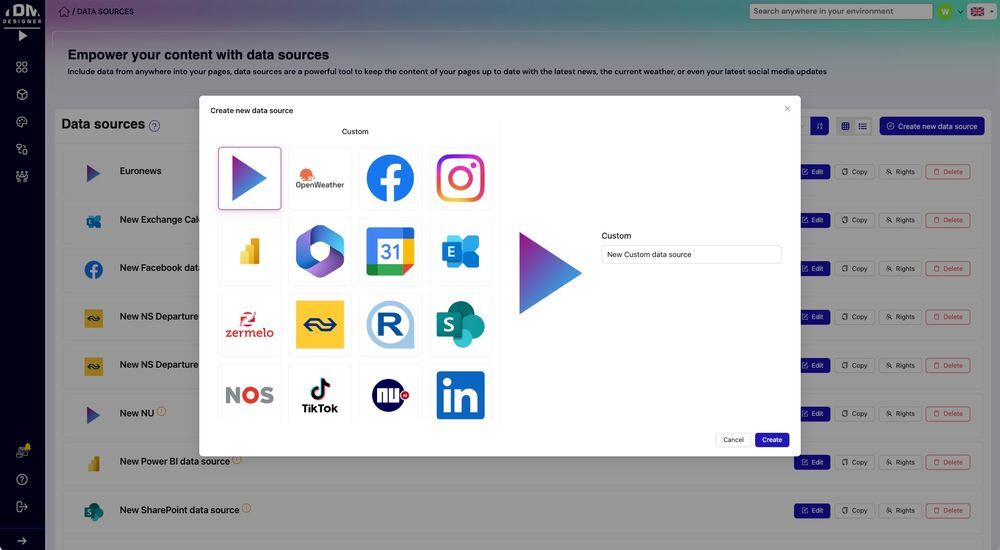
Custom Data Source

When standard integrations don't cover your needs, a custom data source may be an option.

Adding integrations is simple

TDM Signage integrations let you bring external content into your screen layouts, playlists, and schedules - without needing technical expertise to get started.

1

Choose your content source

Select the app, feed, web page, dashboard, calendar, data source, or content type you want to display on your screens.

2

Add it to your screen content

Add the integration to your screen content, a playlist, or a layout.

3

Publish and keep it updated

Publish the content to one screen, a group of screens, or multiple locations. Where supported, live data sources can keep your content updated automatically, without needing to make manual changes every time.

Frequently asked questions

TDM Signage integrations let you connect external apps, data sources, feeds, and web content to your digital signage screens. Instead of only showing content you upload manually, you can pull in live or regularly updated information from tools your team already uses.

You can display a wide range of content, including presentations, business dashboards, social media feeds, news, weather, public transport information, calendars, schedules, videos, web pages, and QR codes. The options available depend on the integrations included in your license.

For supported live content sources - such as weather feeds, news feeds, and certain data integrations - content can update without you needing to make manual changes each time. The update behavior depends on the specific integration and how it is configured.

Most integrations are designed to be straightforward to add and use inside TDM Signage. You do not need development experience for standard integrations. More advanced setups, such as custom data sources, may require additional configuration. 

Yes. Integrations can be added to screen layouts and playlists, and content can be scheduled alongside other material. This means your integrated content can appear at specific times or rotate with other content on your screens.

If you need a specific integration that is not currently listed, contact our team to discuss what may be possible. Depending on your requirements, a custom data source or other solution may be available.

Ready to connect your screens to the content that matters?

Show live data, useful feeds, and relevant information on your screens - with less manual effort. Start your free trial or book a demo to see how TDM Signage integrations work.

30-day free trial. No credit card required.